
Turn your FAQ into auto-drafts

The questions you answer most are the ones you’ve answered a hundred times: your hours, your availability, what something costs, how to get started, your refund policy. It feels like a chore. It’s actually the easiest thing you’ll ever automate — because the answers barely change. Here’s how to turn your FAQ into replies that draft themselves, and stay correct.
Step 1 — list your top ten questions
Open your sent folder and look for repeats. Anything you’ve answered three or more times belongs on the list. Write each one down as the customer’s question, not your answer — that framing matters for the next step.
Step 2 — one rule per question
Make a rule for each question. A rule is a short “when this is true” that describes the question, paired with the reply you’d send, written once. InboxOji reads each incoming email and picks the matching rule — so the “shipping times” answer never lands on a “do you offer refunds” email.
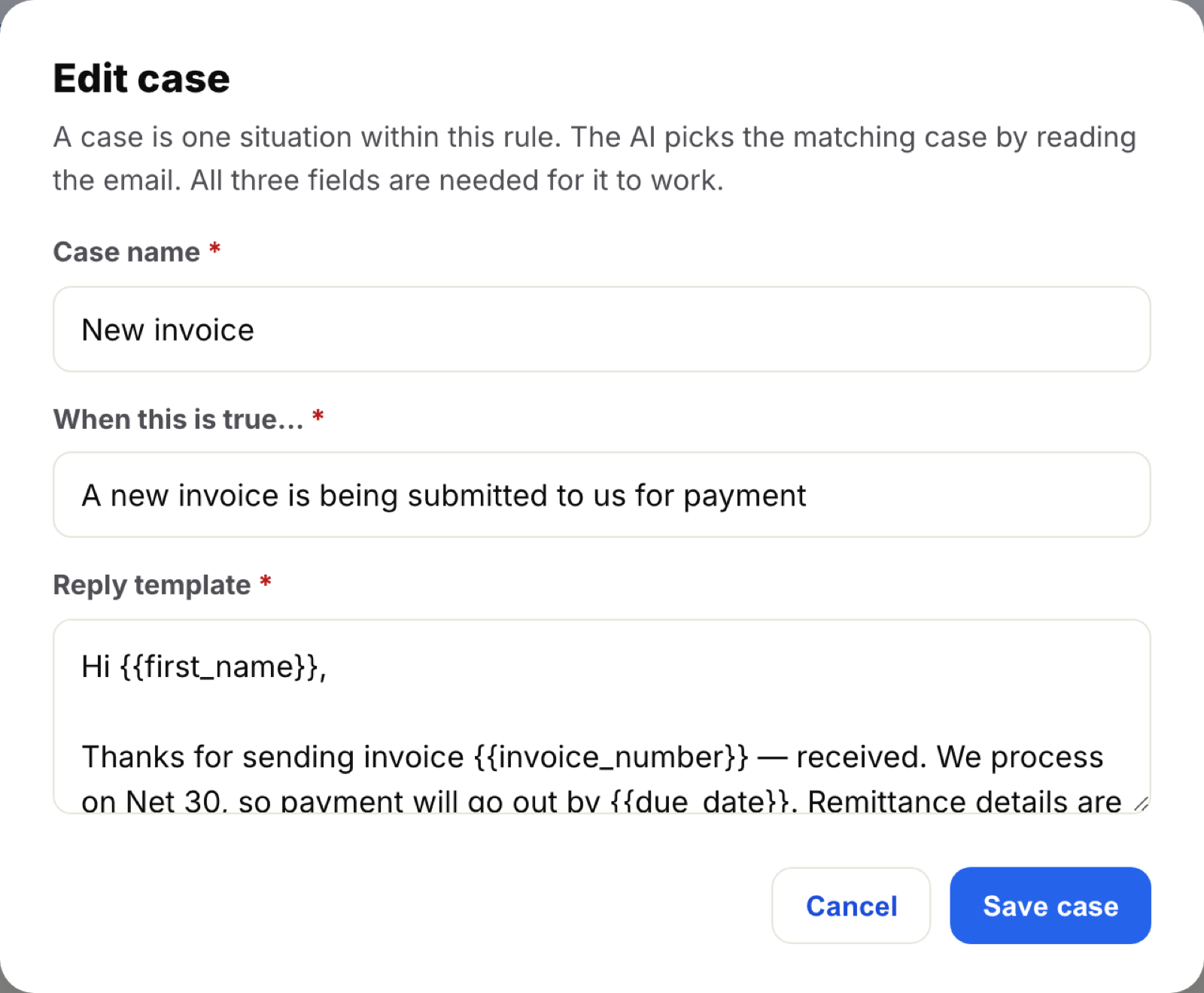
{{placeholders}} for the parts that change — a name, an order number — and InboxOji fills them in.Step 3 — put the facts in the Knowledge base
Answers that hinge on specifics — prices, hours, policies, specs — shouldn’t be baked into the template, where they quietly go stale. Drop the source document into the rule’s Knowledge base instead. The AI pulls the current details from it for every reply, and when something changes you update one file, not ten templates.
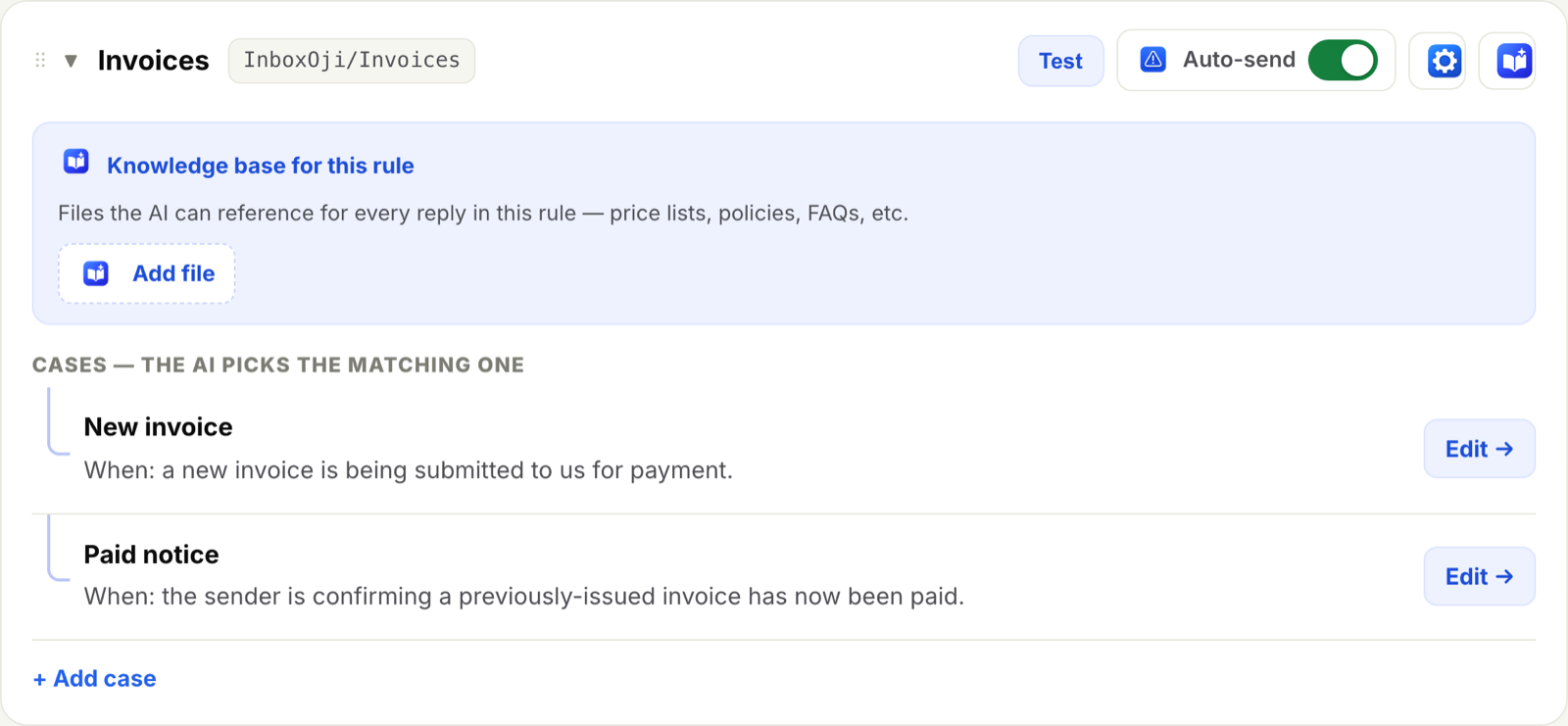
Step 4 — reuse the repeats with Variables
Some things show up in answer after answer: your booking link, your address, your support email. Save those once as variables and drop them in as {{tokens}}. They’re always current and never a typo — change the value in one place and every future draft updates.
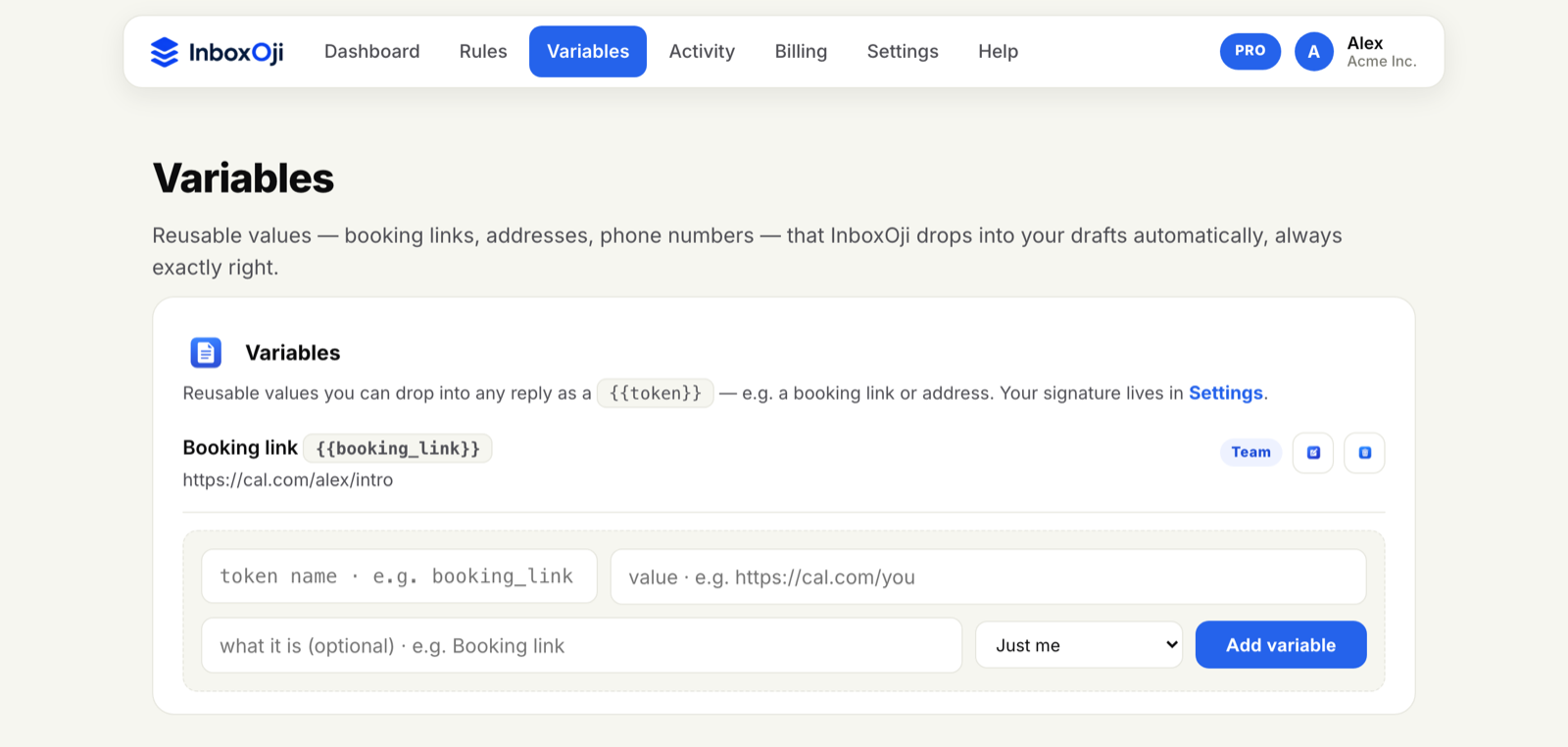
Step 5 — draft the nuanced ones, auto-send the rote ones
Keep drafting on — where you review before sending — for any answer that needs a touch of judgment. For the truly mechanical ones (“yes, we’re open until six”), test the rule and then turn on auto-send for that rule. Your FAQ starts answering itself, and you move from typing every reply to spot-checking a few.
The result is quietly powerful: same-day answers to your most common questions, written in your voice, always accurate — and almost none of them typed by you. If you’re just getting going, pair this with the five replies worth automating first.
Stop rewriting the same email
InboxOji drafts your repetitive replies in your voice — you decide what sends. Free to try.
Try InboxOji free