
5 email replies worth automating first

Automating your inbox sounds like an all-or-nothing decision. It isn’t. The fastest win — and the safest place to start — is the handful of replies you already write over and over, almost word for word. Hand those to InboxOji first, leave everything else alone, and you get time back without giving up a shred of control.
So which emails make the cut? A reply is worth automating when it passes three tests:
- Frequent — you answer it most weeks, often daily.
- Low-variation — your reply is roughly the same every time.
- Safe to draft — a first draft being slightly off costs you nothing, because you read it before it sends.
Here are the five that almost always qualify — and how to set each one up. In InboxOji, every one of these becomes a rule: a situation you handle often, paired with the reply you’d send.
1. “Are you free Thursday?” — scheduling requests
Meeting requests are the textbook case: same shape every time, just different names and times. Make a Scheduling rule that proposes times. Save your booking link once as a variable — {{booking_link}} — and InboxOji drops the right link into every draft, so it’s never a stale URL or a typo.
2. “How much is it?” — pricing questions
The reply you least want to get wrong. Make a Pricing rule, and put your real price list in the rule’s Knowledge base. Now the AI quotes actual numbers from your document instead of guessing — and when a price changes, you update the file once and every future draft is correct.
3. “Here’s the invoice” / “It’s paid” — billing
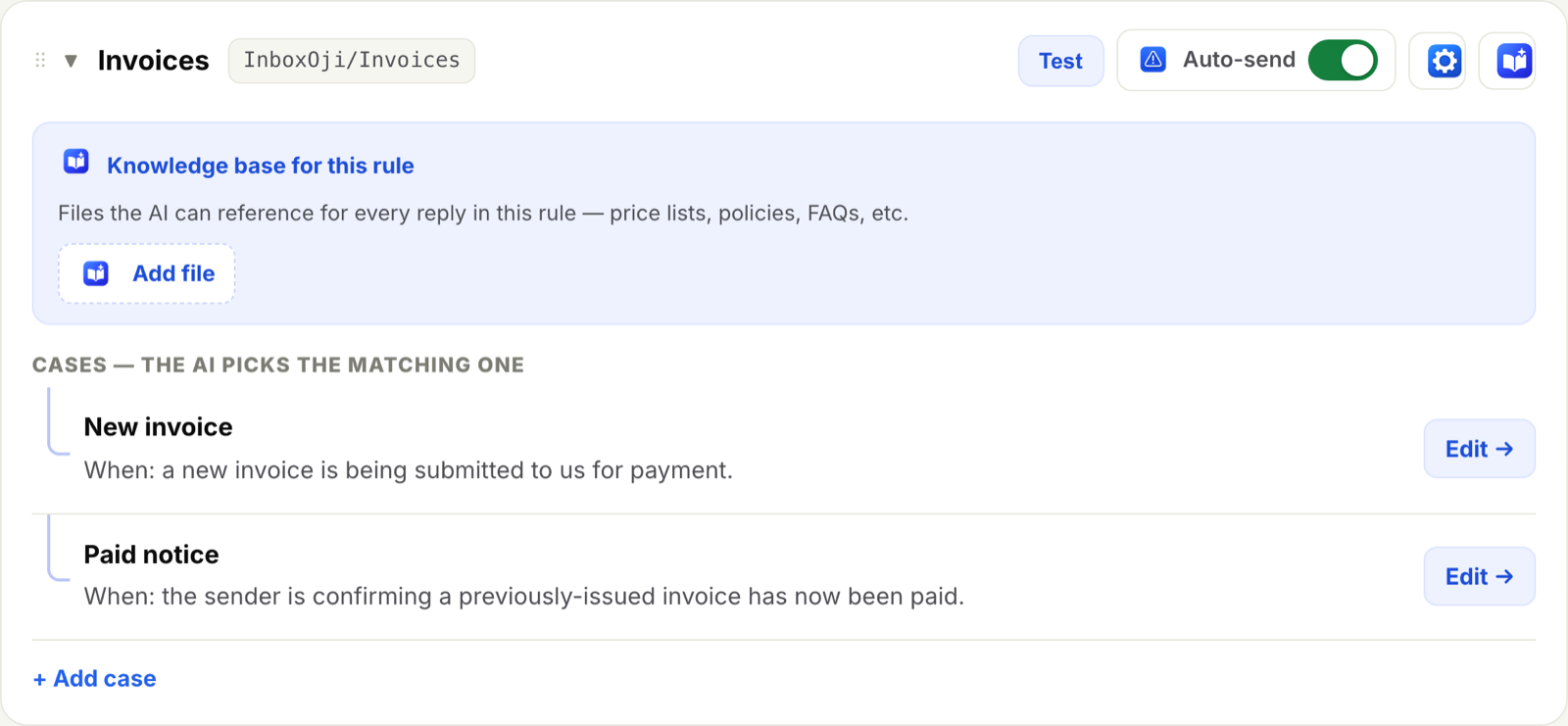
Billing email comes in two flavors, and they need different replies. Make two rules — a New invoice rule and a Paid notice rule, each with its own “when this is true” — and InboxOji reads each message to pick the matching one. No forcing a “thanks, received” reply onto a “you’ve been paid” email.
4. “How does this work?” — your FAQ
Every business has ten questions it answers forever. Each one is a rule with a short “when this is true” and a reply you write once. (We go deep on this in turning your FAQ into auto-drafts.)
5. “Interested in working together” — first-touch inquiries
New inbound deserves a warm, fast reply — but it’s almost always the same warm, fast reply. An Inquiries rule gives you a friendly opener in your voice, ready to personalize in a sentence or two before you send.
Not sure where to start? Let InboxOji find them.
You don’t have to guess. The Suggest from inbox button reads your recent mail — sender, subject, and a short snippet only, never the full message bodies, and never to train a model — and proposes four to six starter rules built from the emails you actually receive. You pick the ones that fit and skip the rest.
Start in Drafts, then publish
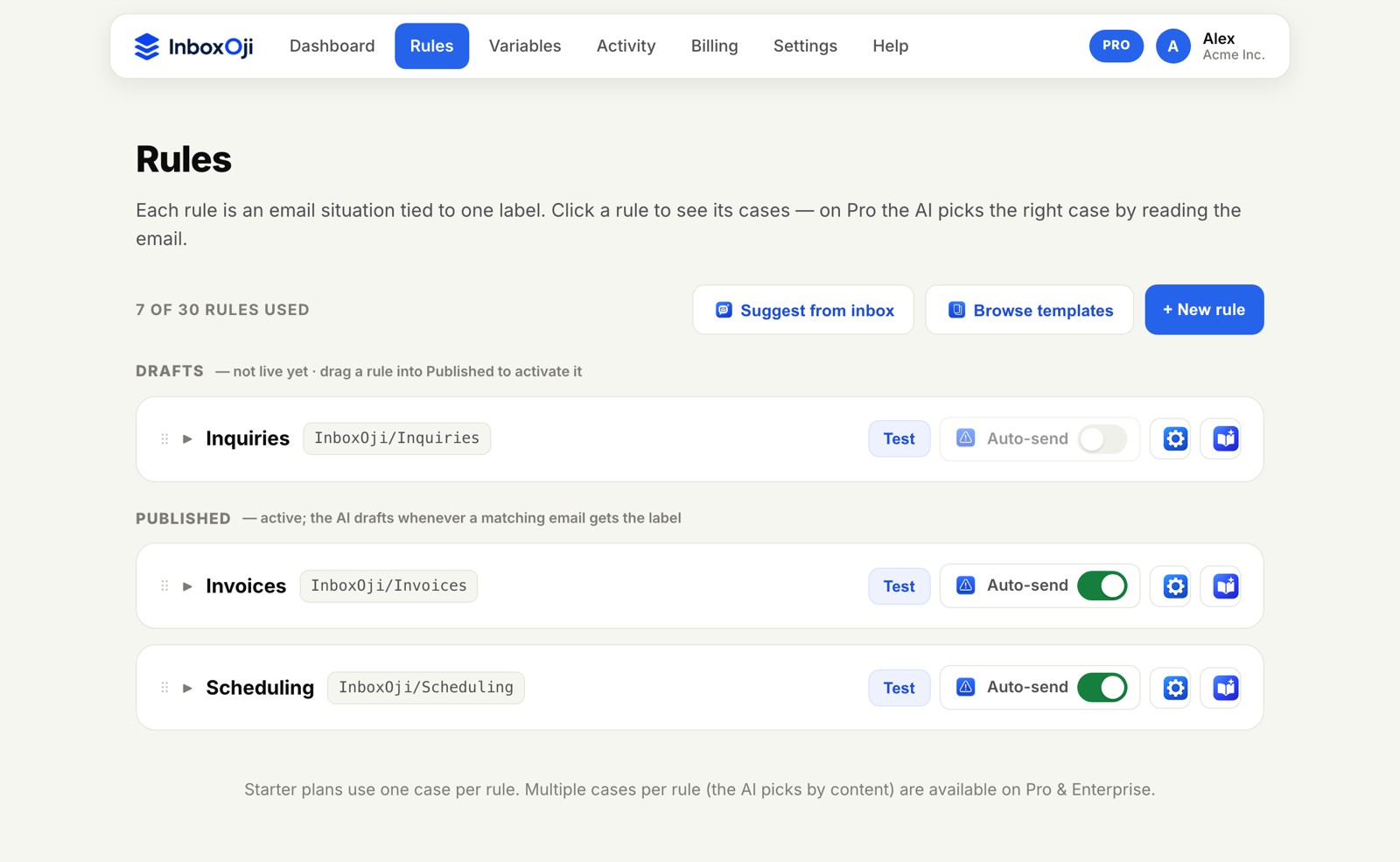
Every new rule lands in Drafts — built but not live. Test one on a real example, adjust the wording, then move it to Published. From that point on, InboxOji drafts a reply in your voice whenever a matching email arrives, and leaves it waiting for you.
Start with these five. They’re the ones that turn “I’ll get to my inbox” into “my inbox is mostly handled” — and they stop being something you type, and become something you approve.
Stop rewriting the same email
InboxOji drafts your repetitive replies in your voice — you decide what sends. Free to try.
Try InboxOji free